Buying your first gaming PC can feel confusing. There are many computers, graphics cards, processors, and other parts to choose from. Some gaming PCs are affordable, while others cost thousands of dollars. If you do not understand the main parts, it can be difficult to know which computer is right for you.
The good news is that you do not need to be a computer expert to choose a good gaming PC. You only need to understand a few important things, such as your budget, the games you want to play, and the hardware needed to run them.
A good gaming computer can provide smooth gameplay, clear graphics, fast loading times, and room for future upgrades. However, the most expensive computer is not always the best choice for every player.
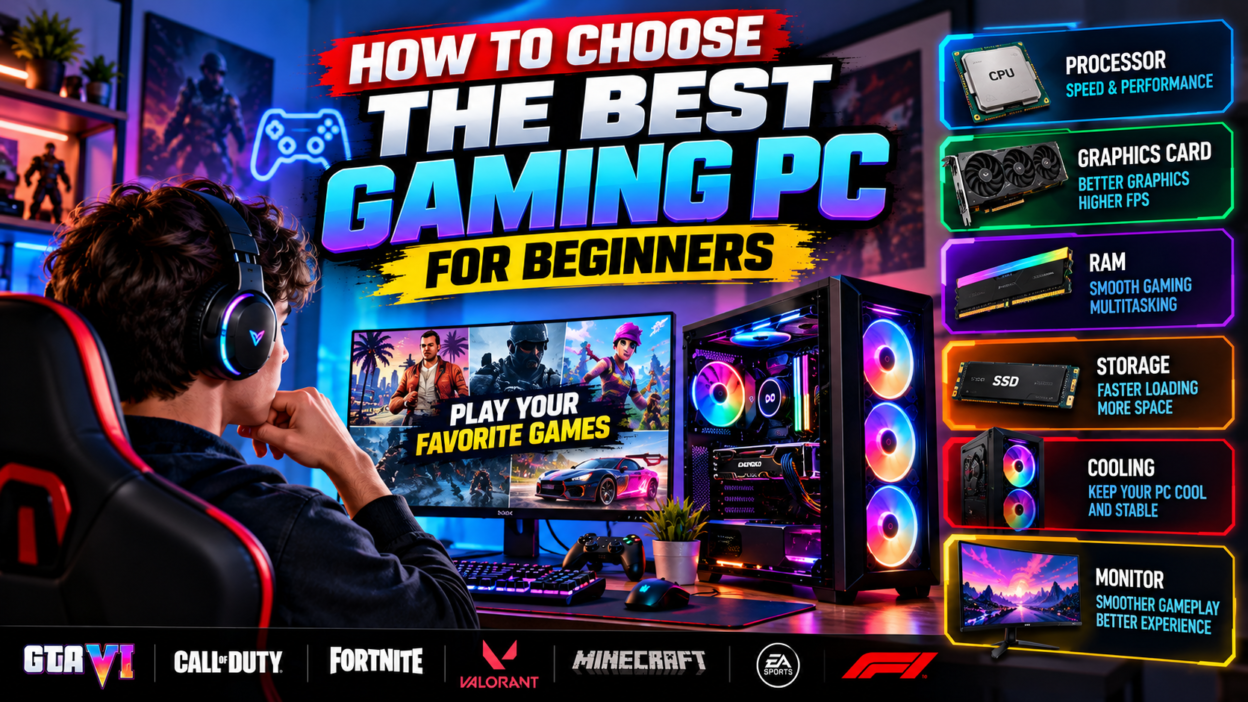
In this guide, we will explain how to choose the best gaming PC for beginners. You will learn about processors, graphics cards, RAM, storage, cooling, monitors, and other important features. We will also explain the difference between a prebuilt gaming PC and a custom-built computer.
Whether you want to play GTA 6 when it becomes available on your platform, enjoy competitive games, explore open-world adventures, or play casual games, this guide will help you make a smarter buying decision.
1. What Is a Gaming PC?
A gaming PC is a computer designed to run video games. It usually has hardware that can handle the graphics, calculations, and other tasks required by modern games.
A regular computer can run many games, especially simple or older titles. However, demanding games may need a more powerful processor, a dedicated graphics card, more memory, and faster storage.
Gaming PCs come in different forms. Some are large desktop computers with powerful components. Others are compact systems designed to fit into smaller spaces. Gaming laptops are portable computers made for gaming, although they have different upgrade options and cooling limits.
The right choice depends on how you plan to use your computer.
If you mainly play browser games, puzzles, or older titles, you may not need an expensive gaming PC. If you want to play modern action games at high graphics settings, you may need more powerful hardware.
Think about your gaming habits before spending money. A computer that meets your needs is a better investment than one that costs more simply because it has impressive specifications.
2. Set Your Gaming PC Budget
The first step is deciding how much money you can spend.
Your budget affects the type of computer you can buy, the graphics quality you can expect, and the number of games you can run comfortably.
Gaming PC prices vary by country, hardware availability, taxes, and local market conditions. For this reason, it is better to compare the actual prices in your area instead of relying on a single worldwide price estimate.
Entry-Level Gaming PC
An entry-level gaming PC is designed for people who want to start gaming without spending too much.
These computers may be suitable for esports games, less demanding titles, and some older games. Their performance depends on the processor, graphics hardware, memory, and game settings.
An entry-level system may need lower graphics settings to run demanding modern games smoothly.
This type of computer can be a good starting point if you have a limited budget and understand its limitations.
Mid-Range Gaming PC
A mid-range gaming PC offers a balance between price and performance.
Depending on the hardware, it may run many modern games at 1080p resolution with good graphics settings. Some systems can also handle higher resolutions or more demanding games.
Mid-range computers are often a sensible option for players who want a comfortable gaming experience without paying for the most expensive components.
High-End Gaming PC
A high-end gaming PC uses powerful hardware designed for demanding games, high resolutions, and advanced graphics features.
These systems may be suitable for players who want high frame rates, detailed visuals, content creation, or several demanding tasks at once.
However, high-end computers can be expensive. You should not spend extra money on performance you will rarely use.
Remember the Full Cost
Your gaming PC budget should include more than the computer itself.
You may also need a monitor, keyboard, mouse, headset, speakers, and a suitable desk. Some people also need a Windows license or other software.
Plan your full setup before making a purchase. It is better to buy a balanced computer with useful accessories than to spend your entire budget on one powerful component.
3. Choose the Right Processor
The processor, also called the CPU, is one of the most important parts of a gaming PC.
It handles many calculations, including game logic, physics, background tasks, and instructions from different applications.
A good processor helps the computer manage the game’s workload. However, gaming performance also depends on the graphics card and the rest of the system.
What Should Beginners Look For?
When comparing processors, consider the model, generation, performance, power use, and compatibility with the motherboard.
Do not choose a processor only because it has a large number of cores or a high advertised speed. Different games use processors in different ways.
Some games benefit from strong performance in a small number of processing tasks. Others can use more cores effectively.
Read independent performance tests for the games you want to play whenever possible.
Intel or AMD?
Intel and AMD both offer processors used in gaming computers.
Neither brand is automatically the best choice for every budget. The value of a processor depends on its price, performance, power requirements, and the cost of compatible parts.
Compare complete systems rather than choosing a brand based only on popularity.
Also check the motherboard socket and supported processor list. A processor must be compatible with the motherboard before it can be installed.
For beginners, the best processor is one that provides enough performance for the games they want to play without wasting money on unnecessary power.
4. Understand the Graphics Card
The graphics card, also called the GPU, is one of the most important parts of a gaming computer.
It processes the visual information needed to display game environments, characters, lighting, textures, and effects.
A stronger graphics card can help a computer run demanding games at higher resolutions and graphics settings. However, the actual results depend on the game and the rest of the system.
Integrated Graphics
Integrated graphics are built into or closely connected to the processor.
They are often suitable for basic computing, casual games, and some less demanding titles. Certain modern processors also have integrated graphics that can handle a wider range of games at suitable settings.
However, integrated graphics generally share system memory and have less graphics processing power than a dedicated gaming GPU.
If you mainly play simple games, integrated graphics may be enough. If you want to play demanding modern games, a dedicated graphics card is usually a better option.
Dedicated Graphics Cards
A dedicated graphics card is a separate component designed for graphics processing.
It generally has its own video memory, known as VRAM, and is built to handle demanding visual workloads.
Graphics cards from NVIDIA and AMD are common in gaming desktops. Intel also offers dedicated graphics products in some market segments.
When comparing graphics cards, check real gaming performance, VRAM capacity, power requirements, cooling, and price.
Do not assume that a card with more memory is always faster than one with less memory. The graphics processor itself also matters.
How Much Should You Spend on a GPU?
The answer depends on your target resolution and the games you play.
For a basic 1080p gaming setup, you may be able to use an affordable graphics card, depending on the game’s requirements.
For demanding modern games, higher frame rates, or more detailed graphics, you may need a stronger GPU.
For 1440p or 4K gaming, graphics requirements usually increase further.
Compare performance tests at the resolution you plan to use. This is more useful than relying on a product name alone.
5. How Much RAM Does a Gaming PC Need?
RAM is the temporary memory your computer uses while running applications.
Games use RAM to manage information such as game data, characters, environments, and other active tasks.
If your computer does not have enough available memory, it may slow down when running demanding games or several applications at the same time.
Is 8GB of RAM Enough?
Eight gigabytes of RAM may be enough for basic computing and some less demanding games. However, it can be limiting for many modern gaming setups, particularly when other applications are open.
If you are buying a new gaming PC, check the requirements of the games you plan to play before choosing this amount.
Is 16GB of RAM a Good Starting Point?
Sixteen gigabytes of RAM is a practical starting point for many gaming PCs.
It can provide enough memory for a wide range of games and everyday applications, although some demanding titles may benefit from more.
For beginners looking for a balanced computer, 16GB is often worth considering.
When Is 32GB Useful?
Thirty-two gigabytes can be helpful for demanding games, heavy multitasking, content creation, and other memory-intensive work.
It may also provide more room for future software requirements.
However, adding more RAM does not automatically increase FPS in every game. The benefit depends on whether memory capacity is limiting performance.
Before upgrading, check your motherboard’s supported memory type, maximum capacity, and available slots.
6. Choose the Right Storage: SSD or HDD
Storage is where your operating system, games, applications, and files are kept.
There are two common storage types: solid-state drives and hard disk drives.
SSD Storage
An SSD uses electronic memory rather than spinning disks to store information.
SSDs generally provide much faster loading times than traditional HDDs. They can help Windows start quickly, applications open faster, and games load levels more efficiently.
Many modern games also recommend or require SSD storage.
For a new gaming PC, an SSD is usually the preferred choice for installing Windows and frequently played games.
HDD Storage
An HDD uses spinning disks to store information.
Traditional hard drives can provide a large amount of storage for a lower price per gigabyte. They can be useful for documents, videos, backups, and games that do not need to load quickly.
However, they are generally slower than SSDs.
If you use an HDD for gaming, some games may take longer to load.
How Much Storage Do You Need?
Your storage needs depend on how many games you want to install.
Modern games can require large amounts of space, and updates may increase the amount needed.
A 1TB SSD can be a useful starting point for many gaming setups, but your needs may be smaller or larger.
Before buying a computer, check the storage capacity and whether it has room for another drive.
If you have a limited budget, you can begin with an SSD and add more storage later if the system supports it.
Remember that storage capacity mainly affects how much data you can keep and how quickly it loads. It does not automatically improve FPS in every game.
7. Select the Right Motherboard
The motherboard connects the main components of your computer.
It allows the processor, RAM, graphics card, storage drives, and other devices to communicate.
A motherboard must support your chosen processor and memory. It also needs the right connections for your other components.
When choosing a motherboard, check:
- Processor socket and compatibility.
- Supported RAM type and capacity.
- Number of memory slots.
- Storage connections.
- Graphics card slot.
- USB and other external connections.
- Physical size and case compatibility.
- Power delivery and cooling features.
You do not always need an expensive motherboard for gaming.
A basic but reliable motherboard may be enough for a budget gaming PC. More expensive models can offer additional connections, improved power delivery, and other features.
Choose one that supports your current components and offers reasonable room for future upgrades.
If you are buying a prebuilt PC, check the motherboard model when possible. Some manufacturers use custom components that can make future upgrades more difficult.
8. Do Not Ignore the Power Supply
The power supply unit, commonly called the PSU, provides electricity to your computer components.
A reliable power supply is important for system stability and safety.
When choosing a PSU, consider its wattage, quality, efficiency rating, connectors, and compatibility with your components.
The correct wattage depends on the processor, graphics card, and other hardware. Check the graphics card manufacturer’s power recommendations and account for the needs of the complete system.
Avoid buying a power supply based only on a high wattage number. Quality and electrical protection also matter.
Very cheap, low-quality power supplies can create reliability problems and may damage hardware if they fail.
If you plan to upgrade your graphics card in the future, consider whether your power supply can support the possible upgrade.
For a prebuilt gaming PC, ask for the exact PSU model rather than accepting only a general description.
A good power supply may not make your game run faster, but it helps your computer operate reliably.
9. Understand Gaming PC Cooling
Gaming computers generate heat when their processors and graphics cards are working hard.
A cooling system helps remove this heat and keep components operating within suitable temperature limits.
If cooling is poor, a computer may become loud, reduce its operating speed, or shut down unexpectedly.
Air Cooling
Air cooling usually uses fans and heatsinks to move heat away from components.
It is common in gaming desktops because it can be effective, relatively simple, and affordable.
The quality of the cooler, case airflow, and fan placement all affect results.
Liquid Cooling
Liquid cooling systems use liquid to transfer heat away from a component and release it through a radiator.
Some systems provide strong cooling performance, but they may cost more and have additional parts that can fail.
Liquid cooling is not automatically better for every gaming PC.
Choose a cooling solution that suits your processor, case, budget, and noise preferences.
Case Airflow
The computer case also affects cooling.
A case with suitable ventilation and well-placed fans can help move warm air away from the hardware.
Avoid blocking the case vents or placing a desktop computer in a tightly enclosed space without proper airflow.
If you are buying a prebuilt PC, read reviews that discuss temperatures and fan noise under gaming loads.
A computer with powerful components but poor cooling may not deliver the performance you expect.
10. Choose a Monitor That Matches Your PC
A monitor displays the images produced by your computer. The right monitor can improve your gaming experience, but it should match your graphics hardware.
Resolution
Resolution describes the number of pixels displayed on the screen.
Common gaming resolutions include 1080p, 1440p, and 4K.
Higher resolutions can produce sharper images, but they also require more graphics processing power.
A 1080p monitor can be a sensible choice for a budget gaming PC. A more powerful system may be suitable for 1440p or 4K gaming, depending on the game and desired frame rate.
Refresh Rate
Refresh rate is measured in hertz, or Hz. It describes how many times the monitor can refresh its image each second.
A 60Hz monitor refreshes up to 60 times per second. A 144Hz monitor can refresh up to 144 times per second.
Higher refresh rates can make movement look smoother when the computer produces enough frames.
Competitive players may prefer high-refresh-rate monitors because they can provide a more responsive experience.
However, buying a 240Hz monitor will not make a computer produce 240 FPS if the hardware cannot reach that level.
Response Time and Adaptive Sync
Response time describes how quickly pixels change between certain states. It can affect motion clarity.
Adaptive sync technologies can help reduce screen tearing when supported by the monitor and graphics hardware.
Read monitor reviews and check compatibility before buying.
You do not need the most expensive monitor to enjoy gaming. Choose one that balances image quality, refresh rate, size, and price.
11. Prebuilt Gaming PC vs. Custom-Built PC
One of the biggest decisions for beginners is whether to buy a ready-made gaming computer or build one from separate parts.
Both choices have benefits.
What Is a Prebuilt Gaming PC?
A prebuilt gaming PC is assembled by a manufacturer or computer seller before purchase.
It is usually ready to use after setup and software installation.
Prebuilt systems can be a good choice for beginners who do not want to assemble hardware themselves.
They may also include a warranty that covers the complete computer.
However, some prebuilt systems use less powerful components to reduce costs. Others may have limited upgrade options or unclear component information.
Before purchasing, check the exact processor, graphics card, RAM, storage, motherboard, and power supply.
What Is a Custom-Built Gaming PC?
A custom-built gaming PC is assembled from separately selected components.
This gives you more control over the hardware and allows you to focus your budget on the parts that matter most for your games.
Building a PC can also help you understand how computers work.
However, it requires research, careful assembly, and compatibility checks.
If you choose incompatible components, the system may not work correctly. You may also need to troubleshoot problems yourself.
Which Option Is Better?
If you are a complete beginner and want a simple setup, a reliable prebuilt PC may be the easier choice.
If you enjoy technology and want more control over your hardware, a custom-built PC may be attractive.
Neither option is automatically better. Compare the total price, component quality, warranty, and upgrade options.
12. Gaming Laptop or Gaming Desktop?
Another important decision is choosing between a gaming laptop and a gaming desktop.
Each option suits different needs.
Gaming Laptop
A gaming laptop combines a screen, keyboard, battery, and computer hardware in one portable device.
It can be useful for students, travelers, or people who need to move their computer regularly.
However, gaming laptops can be more expensive than desktop systems with similar names or advertised specifications.
Laptop components also have different power and cooling limits. A graphics card with the same model name may perform differently in different laptops.
Many gaming laptops have limited upgrade options, although RAM and storage may be replaceable on some models.
Gaming Desktop
A gaming desktop usually provides more flexibility for upgrades and cooling.
You can often replace individual components, such as the graphics card, storage, or memory, when the system supports them.
Desktop systems may also provide stronger performance for the same budget, depending on the hardware and local prices.
However, they require more space and are less convenient to carry around.
You may also need to buy a separate monitor, keyboard, and mouse.
Make the Choice Based on Your Lifestyle
Choose a gaming laptop if portability is important.
Choose a desktop if you want a fixed gaming setup, easier component upgrades, and potentially better performance for your money.
Think about where you will use the computer most often before making a decision.
13. Check Gaming Performance Before Buying
Product descriptions can look impressive, but real performance is more important than marketing claims.
Before buying a gaming PC, search for independent reviews of the exact model or similar hardware.
Look for benchmarks that show performance in the games you want to play.
Pay attention to the resolution and graphics settings used in each test. A computer may deliver high FPS at low settings but struggle at high settings.
Also check temperatures, fan noise, and power use.
A system that runs quickly for a short test may perform differently after a long gaming session if it has poor cooling.
If possible, compare several computers at similar prices.
Avoid relying only on a seller’s statement that a computer is suitable for all modern games.
No single gaming PC is perfect for every title, resolution, and graphics setting.
The goal is to choose hardware that offers the best practical experience for your needs and budget.
14. Can a Budget Gaming PC Run GTA 6?
Many players want to know whether an affordable gaming computer will run GTA 6.
The answer depends on the platform and the hardware requirements published for the version you plan to play.
GTA 6 has been announced for PlayStation 5 and Xbox Series X|S. An official PC release date and PC system requirements have not been announced in the information used for this guide.
For that reason, it would be misleading to promise that a specific budget graphics card, processor, or amount of RAM will run the PC version at a particular frame rate.
If you want a PC for future games, choose balanced hardware and research the requirements of titles that are currently available.
Avoid buying expensive components based only on rumors about GTA 6.
When official PC requirements become available, compare them with your computer specifications before deciding whether an upgrade is needed.
This approach helps you avoid spending money on hardware that may not meet your actual needs.
15. Common Mistakes to Avoid When Buying a Gaming PC
Beginners can make several mistakes when shopping for a gaming computer.
Spending Too Much on One Component
A powerful graphics card is useful, but the rest of the system must support it.
An unbalanced computer may waste part of its potential performance.
Compare the processor, graphics card, memory, cooling, and power supply together.
Ignoring the Power Supply
A computer may advertise a powerful graphics card but use a poor-quality power supply.
Ask for the exact PSU model and check its suitability for the hardware.
Buying Too Little Storage
Modern games can use a large amount of storage.
Check how much space is available and whether the computer supports additional drives.
Trusting Unrealistic FPS Claims
FPS depends on the game, resolution, graphics settings, and system configuration.
Ask for benchmarks that show the conditions under which a performance figure was measured.
Forgetting About Warranty
A warranty can be valuable if hardware fails.
Read the warranty terms and understand whether it covers individual parts, labor, and the complete system.
Buying Without Checking Compatibility
When building a custom PC, confirm that the processor, motherboard, memory, case, graphics card, and power supply are compatible.
A little research before purchasing can prevent costly mistakes.
16. How to Maintain Your Gaming PC
After buying a gaming PC, regular care can help keep it working well.
Keep the computer in a clean location with enough space for airflow. Avoid blocking fans and vents.
Install software and drivers through trusted sources. Keep your operating system updated and review security settings regularly.
Remove unnecessary applications if they consume resources or take up storage.
Watch for unusual symptoms such as sudden crashes, extreme fan noise, or unexpected performance drops. These may indicate overheating, software problems, or hardware issues.
Clean dust from the system according to the manufacturer’s instructions. Turn off the computer and disconnect power before performing appropriate physical cleaning.
Avoid using unknown optimization tools that promise dramatic performance improvements.
You should also back up important personal files and saved data when possible.
A good maintenance routine does not need to be complicated. Basic cleaning, sensible software management, and careful troubleshooting can help you enjoy your computer for longer.
17. Final Buying Checklist
Before purchasing your first gaming PC, review the following points.
- Decide your total budget.
- Identify the games you want to play.
- Compare processor performance.
- Choose a suitable graphics card.
- Check the amount of RAM.
- Select an SSD with enough storage.
- Confirm motherboard and component compatibility.
- Check the power supply and cooling system.
- Choose a suitable monitor and accessories.
- Review warranty and return policies.
- Compare real gaming benchmarks.
- Leave room in your budget for unexpected costs.
You do not need to purchase every premium feature at once.
Start with a balanced system that meets your current needs. If the computer supports upgrades, you can improve it later when your budget allows.
Conclusion
Choosing the best gaming PC for beginners becomes much easier when you understand the main hardware components and know what you want to play.
Start with your budget, then choose a processor, graphics card, RAM, and storage that work well together. Pay attention to cooling, the power supply, and the monitor because these parts also affect the overall experience.
A prebuilt gaming PC can be a simple option for new users, while a custom-built system provides more control over component selection. A gaming laptop is useful for portability, whereas a desktop often offers greater flexibility for future upgrades.
Most importantly, do not buy a computer based only on its appearance, price, or marketing claims. Compare real performance tests and make sure the hardware suits your needs.
A well-chosen gaming PC can provide many hours of enjoyable gameplay without forcing you to spend more than necessary.
At GameSteller, our goal is to help gamers understand gaming technology, discover useful tips, and make informed decisions. With the right knowledge, you can choose a gaming computer that fits your budget and enjoy your favorite games with greater confidence.