Video games have become an important part of modern entertainment. People of different ages enjoy gaming on computers, mobile phones, gaming consoles, and other devices. Some players enjoy relaxing games after a busy day, while others like competitive matches, challenging missions, racing adventures, and detailed open-world experiences. Gaming can be an enjoyable hobby when players choose suitable games, understand the rules, and manage their time wisely.
For beginners, the gaming world can sometimes feel confusing. There are thousands of games, different gaming platforms, many types of controls, and a wide range of features. Some games are easy to learn, while others require practice and patience. A new player may wonder which game to choose, how to improve their skills, what equipment they need, and how to stay safe while playing online.
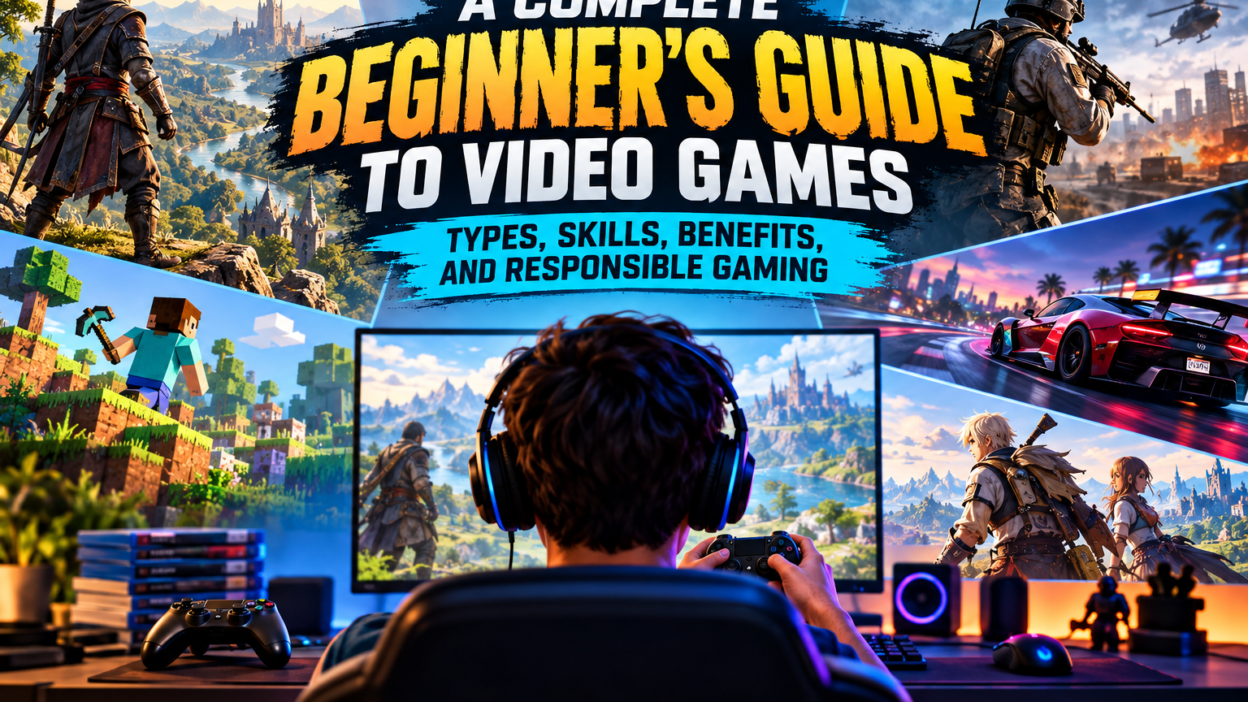
This guide explains the basics of video gaming in simple language. It covers popular game genres, gaming platforms, beginner tips, useful skills, online safety, responsible gaming habits, and ways to choose games that match your interests. Whether you are a casual player or someone who wants to explore gaming more seriously, understanding these basics can help you enjoy a better experience.
1. What Are Video Games?
Video games are interactive digital activities that allow players to control characters, vehicles, objects, or virtual environments. Players use buttons, touchscreens, keyboards, controllers, or other input devices to interact with a game. The goal depends on the type of game. It may involve completing a mission, solving a puzzle, winning a race, building a virtual world, or competing against other players.
Unlike traditional entertainment, video games allow users to influence what happens on the screen. A player might choose a character, make decisions, explore a location, or develop a strategy. These choices make gaming an active experience rather than simply watching something happen.
Some games can be completed in a few minutes, while others contain hundreds of hours of content. Casual games often focus on simple controls and short sessions. Large adventure games may include detailed stories, optional missions, collectibles, and expansive maps.
Video games can be played alone or with other people. Single-player games usually focus on an individual experience, while multiplayer games allow several players to participate together. Online multiplayer games can connect people from different cities and countries.
The best game for any person depends on personal interests, available time, device performance, and preferred level of challenge. There is no single game that everyone must enjoy.
2. Different Types of Video Games
Understanding game genres is one of the easiest ways for beginners to discover suitable games. Each genre offers a different experience, although many modern games combine features from several categories.
Action Games
Action games focus on movement, timing, quick reactions, and completing challenges. Players may need to avoid obstacles, defeat enemies, protect characters, or move through dangerous environments.
These games can be exciting because events often happen quickly. Players learn to observe the screen, react to changing situations, and make decisions under pressure.
Beginners should start with games that offer adjustable difficulty or helpful tutorials. Learning basic movement and controls first can make challenging levels less frustrating.
Adventure Games
Adventure games emphasize exploration, stories, discovery, and solving problems. Players may travel through different locations, meet fictional characters, collect objects, and uncover information about the game world.
Some adventure games provide peaceful experiences, while others include action and difficult challenges. Story-based games can be attractive to players who enjoy mysteries, interesting characters, and imaginative environments.
Before starting a long adventure, check its expected length and system requirements. This helps you choose an experience that fits your available time and equipment.
Racing Games
Racing games allow players to control cars, motorcycles, or other vehicles in competitive environments. Some focus on realistic driving, while others offer arcade-style races with simpler controls and faster action.
These games often reward good timing, careful steering, and understanding the track. Players can improve by learning when to brake, how to take corners, and how to avoid unnecessary collisions.
A beginner does not need an expensive steering wheel to enjoy racing games. A keyboard, touchscreen, or standard controller can be enough, depending on the game.
Sports Games
Sports games recreate activities such as football, basketball, cricket, tennis, and other competitions. They may allow players to control an entire team or focus on an individual athlete.
Some sports games are designed for quick matches, while others include career modes, team management, tournaments, and training systems.
Players who enjoy real-world sports may find these games familiar. However, learning the controls and understanding the game mechanics still takes practice.
Strategy Games
Strategy games require planning, resource management, and decision-making. Instead of relying only on fast reactions, players must consider the possible results of their actions.
For example, a player might need to manage a limited budget, build a strong team, protect a base, or decide when to attack and defend.
Strategy games can be helpful for people who enjoy thinking through problems. They often reward patience because a carefully planned move can be more effective than a quick decision.
Puzzle Games
Puzzle games challenge players to solve problems using logic, observation, memory, or pattern recognition. Examples include matching games, number puzzles, word challenges, and games involving physical objects.
Many puzzle games are suitable for short sessions. They can also provide a comfortable starting point for people who are new to gaming because their controls are often simple.
If a puzzle becomes difficult, take a short break and return with a fresh perspective. Repeatedly trying the same unsuccessful approach may not help you find the solution.
Simulation Games
Simulation games recreate activities or systems in a virtual environment. They may involve building cities, managing farms, operating vehicles, running businesses, or caring for virtual characters.
These games often allow players to experiment and learn through trial and error. Some focus on realism, while others simplify real-world activities to make them more entertaining.
Simulation games can be particularly enjoyable for players who like creativity, organization, and gradual progress.
Role-Playing Games
Role-playing games, commonly known as RPGs, allow players to develop characters, improve abilities, collect equipment, and make decisions throughout an adventure.
Many RPGs include quests, conversations, character development, and large fictional worlds. Some offer turn-based combat, while others use real-time action.
New players should pay attention to tutorials and character descriptions. Understanding a few basic systems early can make the rest of the game easier to follow.
Multiplayer and Online Games
Multiplayer games allow two or more players to participate in the same experience. Depending on the game, people may cooperate, compete, communicate, or complete missions together.
Online gaming can create opportunities to meet people who share similar interests. It can also expose players to rude behavior, scams, and unwanted messages.
Choose games with suitable communication settings and reporting tools. Remember that another player’s username or profile does not prove their real identity.
3. Choosing the Right Gaming Platform
The platform you use can affect the games available to you, the controls you experience, and the amount of money you need to spend.
Gaming on a Computer
Computer gaming offers a wide variety of experiences. Depending on the system, players can enjoy strategy games, racing games, action adventures, simulations, and competitive multiplayer titles.
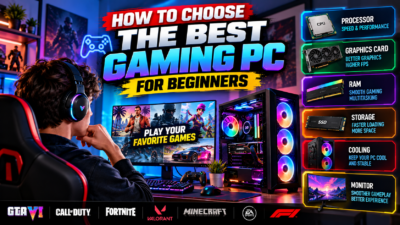
A computer may also support adjustable graphics, different input devices, and game modifications where permitted. However, performance depends on the processor, graphics hardware, memory, storage, and other system features.
Before purchasing a game, compare its minimum and recommended system requirements with your computer specifications. A game that looks attractive may run poorly if the hardware is not suitable.
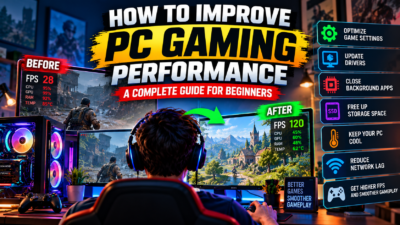
Keep your operating system and graphics drivers updated when appropriate. Close unnecessary applications if the game struggles to run smoothly.
Gaming on Consoles
Gaming consoles provide a dedicated platform for playing compatible games. They generally offer a straightforward setup and controller-based gameplay.
Different consoles have different game libraries, features, and prices. Some titles are available across several platforms, while others are exclusive to specific systems.
Before purchasing a console, consider the games you want to play, the cost of accessories, online service requirements, storage capacity, and the price of new releases.
Gaming on Mobile Phones
Mobile gaming is convenient because many people already own a compatible smartphone or tablet. Mobile games range from simple puzzles to demanding multiplayer experiences.
Some games are free to download but offer optional purchases. Others require a one-time payment. Free access does not always mean that every feature is available without spending money.
Check storage requirements, battery usage, internet needs, and privacy permissions before installing a game. If your device becomes hot during extended play, take a break and allow it to cool.
Browser-Based Gaming
Browser games can be played directly through a compatible web browser. They may include puzzles, simple action challenges, educational activities, and multiplayer experiences.
Because some browser games require limited installation, they can be convenient for casual players. However, players should still check whether a gaming website is trustworthy before downloading files or entering personal information.
Avoid suspicious pop-ups, unexpected downloads, and websites that request unnecessary permissions.
4. Essential Gaming Skills for Beginners
Becoming better at video games usually requires practice, patience, and a willingness to learn. Natural ability can help, but beginners can improve many important skills over time.
Learn the Controls First
Start by learning how to move, interact with objects, open menus, pause the game, and use important abilities. Many games provide tutorials that explain the basic controls.
Spend a few minutes practicing before attempting difficult missions. If the game allows you to change key bindings or controller layouts, select settings that feel comfortable.
Do not worry about mastering every feature immediately. Focus on the actions you use most frequently and learn advanced controls gradually.
Understand the Main Objective
Before starting a mission, identify what you need to accomplish. Some games ask players to reach a destination, collect items, survive for a certain period, or complete several objectives.
Read instructions carefully instead of immediately skipping every tutorial. Understanding the objective can save time and prevent unnecessary mistakes.
If you fail a mission, consider whether you misunderstood the goal or used an ineffective strategy. A small adjustment may make the next attempt easier.
Practice Consistently
Regular practice can help you become familiar with controls and game mechanics. Short, focused sessions are often more useful than playing for hours without thinking about what you are learning.
For example, a racing player might practice cornering, while a strategy player might review resource management. A puzzle player could focus on recognizing patterns.
Set one small improvement goal for each session. This makes progress easier to understand and helps you stay motivated.
Adjust the Difficulty
Many games include several difficulty settings. Beginners can choose an easier option to learn the mechanics before increasing the challenge.
Playing on an easier setting does not make your experience less valuable. The purpose of gaming is to enjoy the experience and find a suitable level of challenge.
If a game becomes too frustrating, lower the difficulty or take a break. You can always return to a harder setting later.
Learn From Mistakes
Failure is a normal part of gaming. You may lose a match, miss a jump, choose the wrong equipment, or make a poor decision.
Instead of repeating the same action without thinking, identify what went wrong. Did you move too quickly? Did you ignore an instruction? Did you spend resources too early?
Small improvements can produce better results over time. Treat mistakes as information that helps you understand the game.
5. How to Improve Your Gaming Experience
A comfortable setup can make gaming more enjoyable without requiring expensive equipment.
Start with a stable device, a comfortable seat, and sufficient lighting. Keep the screen at a reasonable distance and adjust its brightness to suit your surroundings.
If you play on a computer, check that your keyboard and mouse are positioned comfortably. If you use a controller, make sure you can reach the buttons without unnecessary strain.
Audio settings also matter. Adjust the volume so that sounds are clear but not uncomfortably loud. Headphones can help you hear game details, but take breaks during long sessions.
For online games, a stable internet connection can reduce interruptions. If you experience lag, check your connection, pause large downloads, and consider whether other devices are using substantial bandwidth.
Graphics settings can also affect performance. Lowering demanding settings may improve smoothness on a less powerful computer. A stable experience is often more enjoyable than a visually impressive game that constantly freezes.
Finally, keep your gaming environment organized. Maintain enough free storage for updates, remove unwanted applications when appropriate, and avoid installing files from unknown sources.
6. Understanding Game Updates and System Requirements
Modern video games may receive updates that fix problems, adjust gameplay, improve security, or introduce new content. Some updates are small, while others require substantial storage space.
Read update information when it is available. This can help you understand what has changed and whether an update affects the features you enjoy.
System requirements are equally important. They describe the hardware and software needed to run a game. Minimum requirements generally indicate the basic level needed to run it, while recommended requirements suggest a more comfortable experience.
Check the required operating system, processor, memory, graphics hardware, and available storage. For online games, also review the internet connection requirements.
A computer meeting the minimum specifications may still struggle with demanding scenes or higher graphics settings. Actual performance can depend on cooling, background applications, drivers, and the game’s optimization.
For mobile games, confirm the supported operating system and device compatibility. Not every phone can run every game, even if the game appears in a search result.
Planning before installation can save time, storage, and money.
7. The Importance of Online Gaming Safety
Online safety is an essential part of a good gaming experience. Multiplayer environments can connect players with strangers, and not everyone behaves honestly.
Protect your personal information. Avoid sharing passwords, verification codes, private addresses, financial details, or other sensitive information with people you meet in a game.
Use a unique password for each important account when possible. Enable additional account security features if the platform offers them.
Be careful with free rewards and special offers. Messages promising unlimited currency, rare items, or exclusive benefits may be designed to steal account information. Never enter your login details on an unfamiliar page simply because another player sends you a message.
Download games and updates through trusted distribution methods. Avoid modified installers and files that promise unfair advantages. Such files may contain harmful software or cause your account to be suspended.
If another player sends threatening or abusive messages, use the platform’s reporting and blocking features. You do not need to continue a conversation that makes you uncomfortable.
Parents and guardians should also review age ratings, chat settings, spending options, and privacy controls when children play online. The appropriate settings depend on the player’s age and the game involved.
Online gaming can be social and enjoyable, but protecting your privacy should always come first.
8. Responsible Gaming and Time Management
Gaming can be a relaxing hobby, but it should not replace sleep, education, work, exercise, or important relationships.
One useful habit is to decide how much time you want to spend playing before you start. Set a reminder if you often lose track of time during a match or mission.
Take regular breaks, especially during long sessions. Stand up, stretch gently, look away from the screen, and drink water when needed.
Pay attention to how gaming affects your daily routine. If you regularly miss responsibilities, lose sleep, spend more money than planned, or feel unable to stop playing, it may be time to change your habits and seek support if necessary.
Competitive games can create pressure to keep playing after a loss. Remember that another match is not always the best choice. Sometimes the smartest decision is to stop, rest, and return later.
Avoid using gaming as the only way to manage difficult emotions. A balanced routine can include outdoor activities, hobbies, social time, study, work, and relaxation.
Responsible gaming is not about removing fun from your life. It is about making sure that gaming remains a positive part of your routine.
9. Free-to-Play Games and In-Game Purchases
Many games are free to download, which makes them accessible to beginners. However, some include optional purchases such as character outfits, extra content, premium currency, season passes, or convenience features.
Before spending money, understand exactly what you are buying. Cosmetic items may change a character’s appearance without improving performance, while other purchases may unlock additional gameplay.
Some games use random-reward systems. These can encourage repeated spending because the desired item is not guaranteed. Set a clear spending limit and avoid buying something simply because you feel pressured to keep up with other players.
Check whether a purchase is permanent, whether it requires a recurring subscription, and whether the content is available in your region.
Parents should review payment permissions and use appropriate spending controls for younger players.
Be cautious of unofficial sellers offering discounted accounts, game currency, or rare items. Transactions outside approved systems can result in scams, lost accounts, or violations of game rules.
A free game can still provide an enjoyable experience without requiring purchases. Focus on the gameplay itself instead of assuming that expensive items are necessary for success.
10. How to Choose a Game That Matches Your Interests
Choosing the right game is easier when you consider what you enjoy outside gaming.
If you like competition, you might prefer sports, racing, or multiplayer action games. If you enjoy solving problems, puzzles and strategy games may be a better fit. Players who appreciate stories might prefer adventure games or role-playing experiences.
Think about how much time you can realistically spend playing. A short puzzle game may fit a busy schedule better than a large adventure requiring long sessions.
Next, check the platform. Make sure the game supports your computer, console, or mobile device. Read the hardware requirements and consider whether the game needs a constant internet connection.
Review the age rating and content description. A game’s suitability depends on its themes, violence, language, online interactions, and intended audience.
Consider the price as well. Look at the full cost, including optional purchases, subscriptions, and downloadable content.
Finally, try a game that offers a tutorial, demo, or accessible beginner mode when available. This can help you decide whether you enjoy its controls and style before making a larger commitment.
You do not need to follow popular trends to be a real gamer. The right choice is the game that suits your interests, budget, and lifestyle.
11. Gaming Etiquette: How to Be a Good Player
Good gaming behavior makes multiplayer experiences more enjoyable for everyone.
Treat teammates and opponents respectfully. Winning does not justify insulting other players, and losing does not justify blaming everyone else.
Communicate clearly when teamwork is important. Share useful information, listen to teammates, and avoid sending repeated messages that distract others.
Accept that people have different skill levels. Beginners may make mistakes while learning, and experienced players can help by offering constructive advice rather than making personal attacks.
Follow the game’s rules. Cheating, exploiting other players, using unauthorized software, or deliberately ruining a match can harm the community and lead to account penalties.
Respect other people’s time. If you join a team activity, try to understand its requirements and avoid leaving without a reason when your participation is important.
It is also fine to mute voice chat or leave an uncomfortable environment. Protecting your peace of mind is more important than continuing a negative interaction.
Good etiquette does not mean you must agree with everyone. It means handling disagreements without harassment, threats, or unnecessary hostility.
12. Can Video Games Help Develop Useful Skills?
Video games can provide opportunities to practice certain skills, although the benefits depend on the game, the player, and how the activity is approached.
Puzzle games may encourage pattern recognition and logical thinking. Strategy games can involve planning, prioritizing tasks, and managing limited resources.
Team-based games may encourage communication and cooperation. Players often need to share information, coordinate actions, and adjust plans when circumstances change.
Some games require players to learn complicated controls or systems. Working through these challenges can provide practice in patience and problem-solving.
Creative games may also encourage experimentation. Building a virtual city, designing a character, or creating a game environment can help players explore ideas and express themselves.
However, these potential benefits should not be exaggerated. Playing a game does not automatically improve every mental, academic, or professional skill. Results vary, and gaming should not be treated as a replacement for formal learning, physical activity, or real-world experience.
A balanced approach is the most useful. Enjoy games for entertainment, notice the skills they encourage, and apply what you learn when appropriate.
13. Common Gaming Problems and Simple Solutions
Players sometimes experience technical problems that interrupt their enjoyment. Many common issues can be investigated through a few basic steps.
A Game Runs Slowly
If a game stutters or runs at a low frame rate, check whether your device meets its system requirements. Close unnecessary applications and reduce demanding graphics settings.
Make sure there is enough free storage and that your device is not overheating. If the problem began after an update, check whether another update or a compatible driver is available.
A Game Crashes
Restart the game and check for updates. If the problem continues, restart the device and confirm that the game files are intact using the platform’s supported repair options.
Avoid deleting important files or changing system settings without understanding the consequences. Back up relevant saved data when possible.
Online Matches Have High Lag
Check your internet connection and whether other devices are using large amounts of bandwidth. If possible, try a stable wired connection on a compatible computer or console.
High latency can also result from the distance to a game server, server congestion, or problems outside your home network. Changing a setting on your device may not solve every connection problem.
There Is Not Enough Storage
Review installed games and applications to identify items you no longer need. Remove unwanted files carefully and check whether saved games are backed up before uninstalling anything.
Some games require extra space for temporary files and updates, so keeping a little free storage can prevent installation problems.
A Controller or Keyboard Does Not Work Properly
Check the connection, battery level, and selected input settings. Try another compatible port or reconnect the device if appropriate.
If a particular game does not recognize the controller, confirm that the game supports that device and that the correct input mode is selected.
When troubleshooting, make one change at a time. This makes it easier to identify which action solves the problem.
14. The Future of Gaming
The gaming industry continues to explore new technologies and ways to deliver interactive experiences.
Cloud gaming allows supported games to run on remote systems and stream to compatible devices. This may reduce the need for powerful local hardware, although a reliable internet connection and suitable service availability remain important.
Virtual reality creates immersive experiences in which players interact with digital environments using specialized equipment. It can be exciting, but comfort, cost, available space, and accessibility should be considered before purchasing a headset.
Artificial intelligence is also being used in different areas of game development. It can support non-player character behavior, testing, animation workflows, and other development tasks. The quality and usefulness of these systems vary by implementation.
Developers continue to improve accessibility features, including adjustable controls, subtitles, visual options, and difficulty settings. These features can help more people enjoy games in ways that suit their needs.
The future will likely bring new ways to create, distribute, and play games. However, good gameplay will still depend on thoughtful design, enjoyable challenges, and experiences that respect the player’s time.
15. Final Thoughts: Enjoy Gaming in a Balanced Way
Video games offer many ways to explore fictional worlds, solve problems, compete with others, and relax. From simple mobile puzzles to complex computer adventures, there is a wide range of experiences for different interests and skill levels.
Beginners can start by choosing a suitable genre, learning the basic controls, and practicing at a comfortable pace. Checking system requirements before installation can prevent unnecessary problems, while careful spending decisions can help keep gaming affordable.
Online safety is equally important. Protect your accounts, avoid suspicious downloads, respect other players, and use privacy controls when needed. Responsible time management also helps ensure that gaming remains enjoyable without interfering with daily responsibilities.
There is no need to become an expert immediately. Improvement happens gradually, and every player has a different learning pace. Some people enjoy competition, while others prefer exploration, creativity, or relaxing activities.
The most important part of gaming is finding experiences that you genuinely enjoy. Choose games thoughtfully, learn from your mistakes, respect the community, and maintain a healthy balance between digital entertainment and everyday life.
GameSteller aims to help gaming enthusiasts discover useful information, understand gaming basics, and make better choices about their gaming experiences. By focusing on clear explanations, practical guidance, and responsible play, a gaming website can become a helpful destination for both new and experienced players.