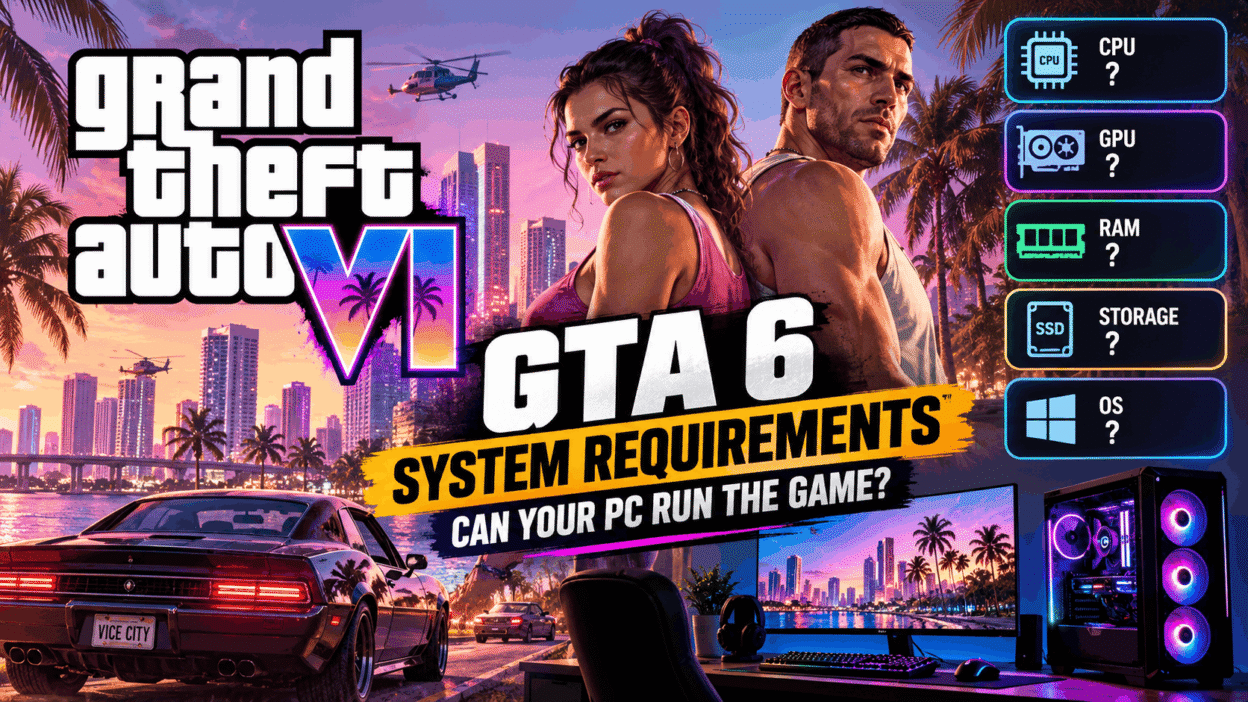
If you are planning to buy a new gaming PC, upgrade your graphics card, or check whether your current computer can handle GTA 6, you should understand what is known and what remains uncertain.
Grand Theft Auto VI, also called GTA 6 or GTA VI, is one of the most anticipated open-world games. Players are excited to explore Vice City, drive different vehicles, follow the story of Jason and Lucia, and experience a large world filled with activities.
However, many PC gamers are asking the same question: Can my PC run GTA 6?
The answer depends on the official PC release, the final system requirements, and your computer hardware. Until Rockstar shares those details, nobody can reliably confirm whether a specific PC will run GTA 6 smoothly.
In this guide, we explain the current GTA 6 system requirements status, the hardware that matters most, how to check your PC specifications, what upgrades you may want to consider, and how to prepare your computer for a future PC release.
GTA 6 System Requirements: Official Information
Before discussing processors, graphics cards, RAM, and storage, it is important to understand the difference between official information and hardware predictions.
Rockstar Games has announced GTA 6 for PlayStation 5 and Xbox Series X|S. Its official platform information does not currently provide PC system requirements. No official minimum or recommended PC specifications have been published in the available announcements.
This means there is no confirmed list of the processor, graphics card, RAM, operating system, or storage space required to play GTA 6 on a computer.
The following table explains the current situation.
| GTA 6 PC requirement | Current status |
|---|---|
| PC release date | Not officially announced |
| Minimum CPU | Not confirmed |
| Recommended CPU | Not confirmed |
| Minimum graphics card | Not confirmed |
| Recommended graphics card | Not confirmed |
| Minimum RAM | Not confirmed |
| Recommended RAM | Not confirmed |
| Required storage space | Not confirmed |
| Supported PC operating system | Not confirmed |
| PC graphics settings | Not confirmed |
| Official PC benchmark | Not available |
These details may change when Rockstar announces more information.
Important: Do not trust a website or video that presents exact GTA 6 PC requirements as official without evidence from Rockstar Games. Estimated specifications can help with general planning, but they cannot guarantee that the game will run on your computer.
1. GTA 6 Minimum System Requirements: What Could Your PC Need?
Minimum system requirements usually describe the lowest hardware level a game supports. A computer that meets these requirements may be able to run the game, but that does not always mean it will provide smooth gameplay or high graphics quality.
For GTA 6, the official minimum PC requirements are not available yet. Still, understanding the main hardware parts can help you prepare for a future release.
Processor (CPU)
The CPU is one of the most important parts of a gaming computer. It handles many tasks, including game logic, artificial intelligence, physics, and activities happening in the game world.
An open-world game can place a heavy load on the processor because many objects, vehicles, characters, and events may need to be managed at the same time.
If you have an older processor, you should check its model and compare its performance with modern gaming processors before making an upgrade.
However, do not buy a specific CPU only because someone claims it is the minimum processor for GTA 6. Rockstar has not confirmed that information for PC.
Graphics card (GPU)
The graphics card creates the images you see on your screen. It helps render buildings, vehicles, characters, shadows, lighting, reflections, and other visual effects.
A powerful GPU can improve graphics quality and performance in demanding games, but the results depend on the game and its settings.
When checking your current GPU, identify the exact model and its available video memory, also called VRAM.
For example, two graphics cards may have similar names but different performance levels. Checking the full model is more useful than simply saying you have an NVIDIA or AMD graphics card.
RAM (system memory)
RAM stores information that your computer needs while running games and applications.
If a game requires more memory than your computer can comfortably provide, you may experience slowdowns, stuttering, or other performance problems.
However, GTA 6’s official minimum RAM requirement for PC has not been announced.
Before upgrading, check how much RAM your computer has, whether it can support more, and whether the memory is upgradeable.
Storage space
Modern games can require a large amount of storage for maps, textures, sound files, animations, and other game data.
An SSD can also help with loading times and general system responsiveness compared with an older mechanical hard drive.
The exact GTA 6 PC installation size is not confirmed. Avoid believing claims that the game definitely requires a particular number of gigabytes or terabytes unless Rockstar provides official information.
2. GTA 6 Recommended System Requirements: What Should You Aim For?
Recommended system requirements usually describe hardware intended to provide a better gaming experience than the minimum specifications.
A game may use different recommended requirements for different resolutions, graphics settings, and frame rates.
For example, running a game at 1080p with lower settings can be less demanding than running it at 4K with high-quality graphics.
Because GTA 6 PC requirements have not been announced, there is no official recommended PC build at this time.
Nevertheless, if you are planning a future gaming PC, consider these general principles.
- Choose a modern processor suitable for demanding games.
- Research a dedicated graphics card that matches your target resolution.
- Make sure your system has enough RAM for current games and everyday tasks.
- Consider an SSD with enough free space for games and updates.
- Choose a reliable power supply that can support your hardware.
- Make sure your case and cooling system can manage heat.
- Check that your motherboard supports your selected processor and memory.
These are general gaming PC recommendations, not confirmed GTA 6 system requirements.
The best computer for you will depend on your budget, the games you play, and the performance you want.
3. Can a Low-End PC Run GTA 6?
This is one of the most common questions among PC gamers.
If you have a budget computer, an older laptop, or a PC without a dedicated graphics card, you may be wondering whether GTA 6 will run on your system.
At present, there is no reliable way to confirm that answer because the PC version and its official hardware requirements have not been announced.
A low-end computer may struggle with future demanding games, but the exact result depends on the hardware and the final game.
What if your PC has integrated graphics?
Integrated graphics are built into a processor rather than provided by a separate graphics card.
They can handle many everyday tasks and some games, but their gaming performance varies widely between models.
Do not assume that every computer with integrated graphics will be able to run GTA 6. Equally, do not assume that a specific integrated GPU is officially unsupported when the PC requirements are unknown.
Check the exact processor model, graphics capability, memory configuration, and performance in games that are already available.
What if your PC has an older graphics card?
An older dedicated graphics card may still run many PC games, but performance varies depending on its age, memory, and capabilities.
Before upgrading, identify your GPU and compare it with the requirements of games you can already play.
Avoid spending money based on unverified GTA 6 requirements. It is safer to wait for official PC specifications before buying expensive hardware specifically for this game.
4. Can a Gaming Laptop Run GTA 6?
Gaming laptops are popular because they offer portability and can handle many demanding games.
However, not every laptop marketed as a gaming laptop has the same performance.
Some models use entry-level graphics cards, while others contain powerful CPUs and GPUs designed for demanding workloads.
If you want to know whether your gaming laptop could run GTA 6 in the future, check these details:
Processor: Identify the complete CPU model, including its generation or series.
Graphics card: Check the exact GPU model. Laptop graphics cards can perform differently from desktop versions with similar names.
RAM: Find out how much system memory is installed and whether it can be upgraded.
Cooling: Check whether your laptop can maintain good performance without excessive heat.
Storage: Confirm the type of drive and the amount of free space available.
Power settings: Some laptops reduce performance when running on battery power or in a quiet operating mode.
Remember that a laptop with impressive specifications on paper may still perform differently depending on cooling, power limits, and the game itself.
Since GTA 6 PC requirements are unknown, there is no confirmed gaming laptop specification that guarantees compatibility.
5. How Much RAM Will GTA 6 Need?
RAM is an important part of a gaming PC, and many players want to know how much memory they should install before GTA 6 becomes available on PC.
At present, Rockstar has not announced an official GTA 6 PC RAM requirement.
You may see websites or videos suggesting a minimum amount of RAM and a higher recommended amount. Unless those figures come from an official announcement, treat them as predictions.
For general PC gaming, 16 GB of RAM is a common starting point for many modern systems, while 32 GB can provide more room for demanding games, multitasking, and creative applications.
However, these are general hardware planning guidelines. They are not confirmed GTA 6 minimum or recommended specifications.
Before buying additional RAM, check your motherboard’s supported memory type, maximum capacity, available slots, and current configuration.
Adding memory that your system cannot support will not solve your performance problems.
6. Will GTA 6 Require an SSD?
Many modern games benefit from SSD storage because SSDs can read data faster than traditional mechanical hard drives.
An SSD can help reduce loading times and improve general system responsiveness. Depending on the game, fast storage may also help with how quickly assets are loaded during gameplay.
However, Rockstar has not announced the official storage requirements for a GTA 6 PC version.
It is therefore too early to confirm whether a specific SSD type, capacity, or speed will be required.
If your computer still uses an old hard drive, upgrading to an SSD may improve your overall PC experience, including Windows startup, application loading, and many existing games.
Before making the upgrade, check which storage connections your motherboard or laptop supports.
Also remember that an SSD cannot replace an underpowered processor or graphics card. A balanced PC needs suitable hardware across all major components.
7. GTA 6 Graphics Settings: What Could Affect Performance?
Graphics settings control how a game looks and how much work your computer must do to display each frame.
Although the final GTA 6 PC graphics settings are unknown, most modern PC games include options that affect performance.
Resolution
Resolution describes the number of pixels used to display an image.
Higher resolutions can produce sharper pictures, but they also require more graphics processing power.
For example, 1080p uses fewer pixels than 1440p or 4K. The performance difference depends on the game and hardware.
Texture quality
Textures provide detail to surfaces such as roads, buildings, clothing, and vehicles.
Higher texture settings can use more video memory. If your GPU has limited VRAM, some games may show stuttering or texture-loading problems at higher settings.
Shadows and lighting
Detailed shadows and advanced lighting can improve visual quality but may also increase GPU workload.
The performance cost depends on how the game implements these effects.
Reflections and visual effects
Reflections, weather effects, particles, and other visual features can affect performance.
A PC player may need to balance image quality with smooth gameplay.
Upscaling technology
Some modern games support technologies that render at a lower internal resolution and then improve the displayed image.
Examples include NVIDIA DLSS, AMD FSR, and Intel XeSS. Support for these technologies in a future GTA 6 PC version should not be assumed until Rockstar confirms the PC edition and its features.
The main point: Do not rely on predicted GTA 6 graphics settings as confirmed information. Wait for official details and independent performance tests before deciding what hardware to buy.
8. How to Check If Your PC Is Ready for GTA 6
Even though official GTA 6 PC requirements are unavailable, you can check your current computer’s hardware in a few simple steps.
Step 1: Check your processor and RAM
On Windows, press Ctrl + Shift + Esc to open Task Manager.
Select the Performance tab and click CPU. You can view your processor model and its current activity.
Next, select Memory to check the amount of RAM installed.
Write down the details so you can compare them with official requirements if Rockstar announces a PC version.
Step 2: Check your graphics card
Press Windows + X and open Device Manager.
Expand Display adapters to see the graphics hardware installed in your computer.
For more information, press Windows + R, type dxdiag, and press Enter. Check the Display tab for graphics information.
If your computer has more than one graphics adapter, identify which one is used for games.
Step 3: Check your storage
Open File Explorer and select This PC.
You can view your drives and check how much free space is available.
To identify whether a drive is an SSD or HDD, open Windows Task Manager and select Performance, then choose the relevant disk. Windows often displays the drive type.
Step 4: Check your Windows version
Press Windows + R, type winver, and press Enter.
This shows your Windows version and build.
The supported Windows version for GTA 6 PC has not been announced, so this information is useful for preparing your system rather than confirming compatibility.
Step 5: Record your full specifications
Keep a simple list of your CPU, GPU, RAM, storage, and operating system.
Once official GTA 6 PC system requirements become available, you can compare each part of your computer against the published minimum and recommended specifications.
Until then, no online compatibility checker can provide a guaranteed answer based on official PC requirements that have not been released.
9. Should You Upgrade Your PC Before GTA 6 Releases?
Whether you should upgrade depends on your current computer and what you want to play.
If your PC already handles your favourite games well, there may be no need to make an immediate upgrade.
If you struggle with low frame rates, frequent crashes, or slow loading in several games, a hardware upgrade may improve your current experience.
However, it is important to identify the cause of a problem before buying new parts.
For example, low frame rates may be caused by a weak GPU, a CPU limitation, high graphics settings, overheating, or a software problem.
When a graphics card upgrade may help
A GPU upgrade can be useful if your current graphics card struggles with the resolution and quality settings you want in supported games.
Check performance tests from trusted reviewers and make sure the card fits your case and works with your power supply.
When more RAM may help
If your computer frequently runs out of memory while gaming and multitasking, additional compatible RAM may improve performance.
However, adding RAM will not automatically increase frame rates in every game.
When a processor upgrade may help
A CPU upgrade may be useful when the processor limits performance in the games you play.
Before upgrading, check motherboard compatibility, cooling requirements, and whether a platform change would be necessary.
Why waiting may be the smarter choice
If GTA 6 is your main reason for buying a new computer, waiting for official PC requirements is the safest approach.
Once Rockstar announces a PC version, you can compare the specifications, review independent benchmarks, and choose hardware that fits your budget.
This can help you avoid buying parts that are either too weak for your needs or unnecessarily expensive.
10. GTA 6 PC Requirements vs GTA 5 PC Requirements
Many players compare GTA 6 with GTA 5 to estimate what kind of computer the newer game might need.
This comparison can be useful for understanding how PC gaming hardware has changed, but it cannot establish GTA 6 requirements.
GTA 5 has an established PC version with published requirements. GTA 6 does not currently have official PC specifications.
The two games may differ in their technology, visual effects, world systems, optimisation, and hardware support.
Even if your computer runs GTA 5 smoothly, that does not guarantee that it will run GTA 6.
Similarly, a computer that struggles with GTA 5 may still need to be evaluated against the actual GTA 6 requirements rather than an online guess.
Use GTA 5 performance as a general indication of your computer’s current gaming ability, not as proof of future GTA 6 compatibility.
11. Common GTA 6 System Requirements Myths
Many rumours spread online when a highly anticipated game does not yet have confirmed PC requirements.
Here are some common claims to treat carefully.
Myth 1: GTA 6 definitely requires a specific graphics card
No official minimum or recommended PC graphics card has been announced.
Any exact model presented as a confirmed requirement should be checked against Rockstar’s official information.
Myth 2: GTA 6 needs a fixed amount of RAM
The official PC RAM requirement is unknown.
Different websites may publish different estimates, but those figures do not become official simply because they are repeated.
Myth 3: Every gaming laptop will run GTA 6
Gaming laptops have different levels of performance. Compatibility will depend on the final requirements and the laptop’s hardware.
Myth 4: An SSD guarantees smooth gameplay
An SSD can improve loading and responsiveness, but it cannot guarantee high frame rates. The CPU, GPU, memory, and software also matter.
Myth 5: A GTA 6 PC requirements checker can give a guaranteed answer today
A checker cannot reliably compare your computer with official PC requirements that Rockstar has not published.
Be careful with unknown websites asking you to download files or provide personal information to check compatibility.
12. Is GTA 6 Coming to PC?
This is a major question for players who prefer keyboard-and-mouse controls, custom graphics settings, and gaming computers.
As of October 28, 2026, Rockstar has announced GTA 6 for PlayStation 5 and Xbox Series X|S, with a console release date of November 19, 2026. An official PC release date has not been announced in the available information. Rockstar has also not published GTA 6 PC system requirements.
Some players expect a PC version in the future because previous Grand Theft Auto games have been released on PC. However, the release history of earlier games does not confirm the timing or availability of GTA 6 on PC.
Until Rockstar makes an official announcement, claims about a specific PC launch date should be treated as speculation.
If you prefer PC gaming, follow official Rockstar Games announcements rather than relying on unverified social media posts.
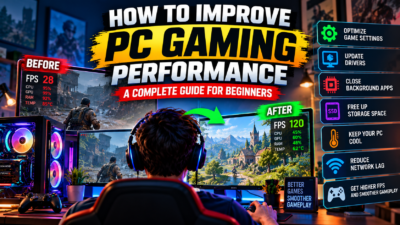
13. How to Prepare Your Gaming PC for Future Games
You do not need to wait without doing anything. There are several useful steps you can take to keep your computer ready for modern games.
- Keep Windows updated using trusted update channels.
- Install graphics drivers from the official GPU manufacturer’s website or supported software.
- Remove unnecessary applications that run in the background.
- Keep enough free storage space for updates and new games.
- Check your PC’s temperatures during demanding workloads.
- Clean dust from your computer safely and maintain good airflow.
- Avoid overclocking settings that make your system unstable.
- Back up important files before major hardware or operating system changes.
- Research games using official system requirements before purchasing them.
These steps can help improve your computer’s general health and gaming experience, but they do not guarantee that it will meet future GTA 6 requirements.
Frequently Asked Questions About GTA 6 System Requirements
What are the official GTA 6 system requirements for PC?
Rockstar has not published official GTA 6 PC minimum or recommended system requirements as of October 28, 2026. Exact CPU, GPU, RAM, storage, and operating system requirements remain unconfirmed.
Can my PC run GTA 6?
There is no confirmed way to determine whether your PC can run GTA 6 until a PC version and its official requirements are announced. You can check your hardware now and compare it with the requirements when they become available.
How much RAM does GTA 6 require?
The official GTA 6 PC RAM requirement has not been announced. Figures shared online should be treated as estimates unless confirmed by Rockstar Games.
What graphics card will GTA 6 need?
No official minimum or recommended PC graphics card has been announced. Avoid purchasing a GPU based only on an unverified GTA 6 requirements list.
Will GTA 6 run on a low-end PC?
That cannot currently be confirmed. The answer will depend on the eventual PC version, its optimisation, and the computer’s hardware.
Can I play GTA 6 on a laptop?
GTA 6 is announced for PlayStation 5 and Xbox Series X|S, but an official PC release has not been announced in the available information. Laptop compatibility cannot yet be confirmed.
Is GTA 6 coming to PC in 2026?
Rockstar has not announced a GTA 6 PC release date as of October 28, 2026. The announced November 19, 2026 release date is for PlayStation 5 and Xbox Series X|S, not a confirmed PC launch.
Should I buy a new PC for GTA 6?
If GTA 6 is your main reason for buying a computer, waiting for official PC requirements is the safest choice. If you need a PC for other games or work, choose hardware based on your current needs and budget.
Will GTA 6 support 4K gaming on PC?
PC resolution support and performance targets have not been confirmed. The ability to play at 4K will depend on the eventual PC version and compatible hardware.
Where can I find reliable GTA 6 PC requirements?
Check official Rockstar Games announcements and support information. Once a PC version is announced, independent hardware reviews and performance benchmarks can also help you understand how different computers perform.
Conclusion: Can Your PC Run GTA 6?
The answer to “Can your PC run GTA 6?” is not yet confirmed for PC players. As of October 28, 2026, Rockstar Games has not announced an official PC release date or published GTA 6 PC system requirements.
This means there is no verified minimum or recommended CPU, graphics card, RAM amount, or storage requirement to use for a reliable compatibility check.
You can prepare by checking your current hardware, keeping your system in good condition, and researching upgrades based on the games you already play. However, avoid spending money on expensive components just because an unofficial website claims they are required for GTA 6.
The smartest approach is to wait for official information, compare the final requirements with your computer, and use reliable performance tests before making a major purchase.
Keep following GameSteller.xyz for gaming guides, PC hardware tips, troubleshooting advice, and verified updates about GTA 6 and other upcoming games.